R3Duce
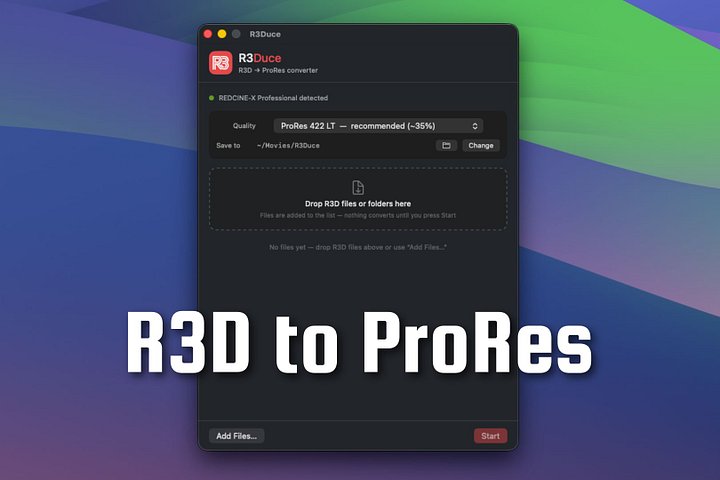
R3Duce — Get Your R3D Footage Editing-Ready. Fast.
Stop fighting with unsupported codecs. Start editing.
If you shoot RED and work with R3D files, you already know the pain: not every NLE handles R3D the way it should, and getting a clean, editable transcode shouldn't require a workaround. R3Duce solves that — it's a dedicated macOS transcoding tool built to bridge that gap, so your footage lands in your editor of choice ready to cut, not stuck in a format war.
R3Duce was born out of necessity — Nikon ZR footage produces some of the largest R3D files out there, and existing tools just couldn't keep up. What started as a fix for that has grown into a transcoding tool that works across R3D footage from RED cameras in general, for editors on any NLE — DaVinci Resolve, Premiere, Final Cut Pro, and beyond.
What R3Duce Does
-
Transcodes R3D footage — including the especially large files from Nikon ZR — into edit-ready formats that drop cleanly into the NLE you already use
-
Flexible codec control — set a default codec for your whole workflow, or override it on a per-batch basis when a specific project needs something different
-
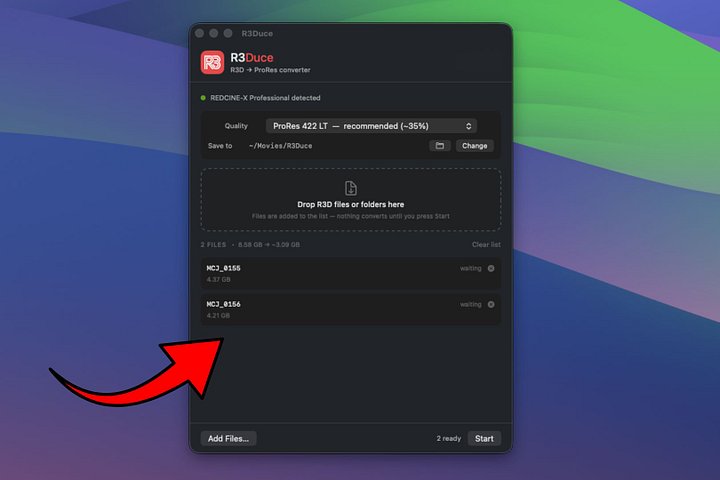
Space-conscious output options — transcode to ProRes LT or ProRes Proxy when you need speed and smaller file sizes without losing what you need to edit
-
NLE-agnostic by design — clean, standard output means your transcodes integrate properly into your editing workflow, whatever software you cut in
Why R3Duce
If you shoot R3D, you need your files to just work — not sit in a queue waiting on a plugin that half-supports your camera or locks you into one editor. R3Duce is a focused, no-nonsense bridge from your R3D footage to your timeline, no matter what NLE you call home. No bloat, no unnecessary extras — just a fast, reliable way to get editing.
Who It's For
Any RED shooter with R3D files, on any NLE — with special attention paid to the biggest, hardest files out there: Nikon ZR footage.
What you get:
-
Straight R3D → ProRes transcoding for .R3D files including Nikon ZR (R3D NE) files.
-
Native ProRes output — including lighter ProRes LT and Proxy options when you want smaller files without breaking your footage.
-
Batch processing, so you feed it a whole shoot and let it work instead of converting clips one at a time
Requirements:
-
macOS 26 Tahoe
-
REDCINE-X installed (free from RED) — required to decode R3D source files.
One-time purchase. No subscription.
Own it outright. No monthly fees, no logins — just a tool that gets your RED footage ready and stays out of your way.